Hadfield Script: A Modern Font for Web Design
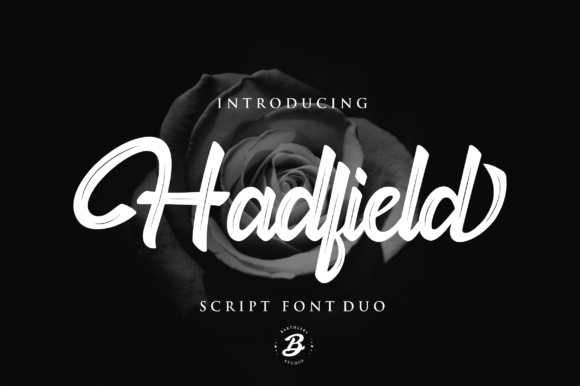
Hadfield Script is a versatile script font that offers a modern handwritten feel, making it ideal for web design projects. With two variations—strip and regular—it provides flexibility for different design needs. As a web designer, I find Hadfield Script particularly useful for headers, logos, and decorative elements where a personal touch can elevate the overall look of a site.
Visual Characteristics and Digital Appeal
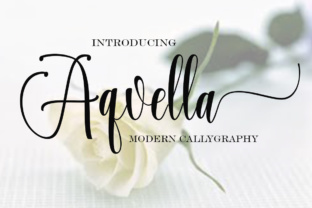
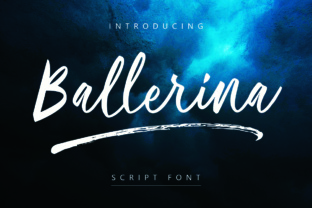
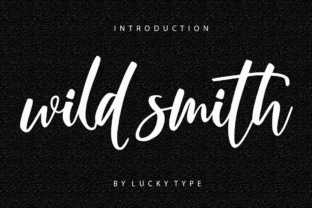
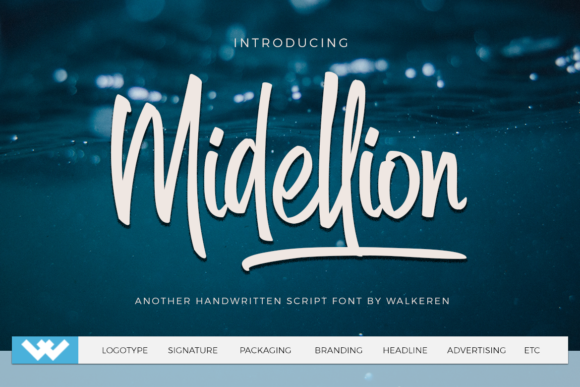
Hadfield Script has a clean yet expressive style that balances elegance with approachability. The regular version offers a smooth flow, while the strip variation adds a more stylized, minimalist edge. These characteristics make it well-suited for digital environments where readability and visual interest are both important.
Its handwritten quality gives it a human-like warmth, which can help build trust and connection with users. This makes it especially effective for brand identities that aim to feel authentic and relatable. Whether used in a creative portfolio or an online store, Hadfield Script brings a sense of personality to the design.
Applications in Web Design
Hadfield Script excels in headings, hero sections, and call-to-action areas. It works well as a logo font, adding a unique signature to brand identities. For landing pages, it can be used to highlight key messages or product names, drawing attention without overwhelming the layout.
In online stores, it’s great for banners and product titles, helping to create a cohesive visual language. On blog graphics or course pages, it adds a refined touch that complements more functional typography. Its adaptability makes it a valuable addition to any digital design toolkit.
Readability and Visual Hierarchy
While Hadfield Script is highly readable at larger sizes, it’s best suited for short phrases rather than long paragraphs. In web design, this means using it for headlines, subheadings, or decorative accents rather than body text. When used appropriately, it enhances visual hierarchy by creating contrast and guiding the user’s eye through the page.
On mobile screens, ensure sufficient spacing between letters and lines to maintain clarity. For small buttons or icons, consider using the strip variation for a cleaner look. When placed over dark backgrounds or image overlays, use a light color to ensure legibility.
Brand Tone and User Engagement
The personality of Hadfield Script aligns well with brands that want to convey creativity, professionalism, or a personal touch. It can help establish a consistent tone across digital assets, from website headers to social media posts. This consistency strengthens brand recognition and builds a stronger connection with the audience.
Using Hadfield Script in CTA buttons or promotional banners can increase engagement by making the message more visually appealing. However, avoid overusing it, as too much can dilute its impact. Instead, use it strategically to emphasize key points and add character to the design.
Font Pairing and Design Balance
Pairing Hadfield Script with a simple sans serif or serif font can create a balanced and professional look. For example, combining it with a clean sans serif like Open Sans or Roboto for body text ensures readability while letting the script font shine in headings and titles.
For editorial designs, pairing it with a serif font like Georgia or Playfair Display can add a more traditional or sophisticated feel. In contrast, using it with a modern sans serif can create a sleek, contemporary aesthetic. The key is to maintain contrast while ensuring harmony between the fonts.
Practical Considerations for Web Use
When using Hadfield Script on websites, check the available styles, weights, and file formats. Ensure that the font is available as a webfont so it can be easily integrated into CSS. Also, verify multilingual support if your audience includes non-English speakers.
Commercial licensing is another important factor. Make sure the font license covers use on websites, client projects, and online stores. Some fonts have restrictions on resale or redistribution, so always review the terms before incorporating them into a project.
Real-World Examples and Use Cases
For a creative portfolio site, Hadfield Script can be used in the header and project titles to create a polished, professional look. In a boutique online store, it can appear in product banners and checkout buttons, reinforcing the brand’s identity.
On a coaching website, it can be used in hero sections and CTA buttons to make the message more engaging. For a course sales page, it helps highlight key benefits and features, making the content more scannable and visually appealing.
Whether you're designing a blog header, digital brand kit, or social media graphic, Hadfield Script offers a stylish and functional solution. Its versatility and modern appeal make it a go-to choice for designers looking to add a personal touch to their work.
Final Thoughts on Digital Branding
Hadfield Script is more than just a font—it's a tool for shaping the visual identity of a brand. By understanding its strengths and limitations, designers can use it effectively to enhance readability, create visual interest, and reinforce brand messaging.
From landing pages to digital ads, it offers a range of applications that cater to different design needs. With careful consideration of typography and layout, Hadfield Script can become a powerful asset in any web design project.